
Vector v0.5.0: Vigil
Widescreen, Voice & Video Calls, Vector Web, Roles & Channels, Tor & I2P
Overview
Back in August, the v0.4.2 post ended with two promises. The first was a deep clean of the frontend onto Svelte. The second was a true widescreen desktop, the release where Vector "stops being a phone app that happens to run on a desktop and becomes a communication hub that earns the screen it's on." Vigil keeps both, and then keeps going.
This is the largest release in Vector's history. Three months, over 1,300 commits and five public preview builds went into it: a widescreen desktop layout, a redesigned mobile experience, voice and video calls, voice channels, Vector in your browser, Roles and Channels for Communities, Tor and I2P routing for every connection, encrypted media storage, and an app that is far lighter on memory and battery than the one it replaces.
Every one of those previews went to people who used it daily and told us what broke. Vigil is what came back.
The Short Version
- Widescreen & Slim Layouts: a Discord-style desktop with a rail, channel list, chat and member list side by side, and a phone layout redesigned from the ground up.
- Voice & Video Calls: call anyone from their DM, and drop into voice channels inside your Communities, screen sharing included.
- Vector Web: the whole app in your browser, Tor Browser included, with the same encryption running on your own device.
- Roles & Channels: roles, permissions, categories and private channels, so a Community can run itself like a real server.
- Tor, I2P or Standard: pick the network every connection takes, and Vector refuses to quietly go around it.
New Badge: V for Vector (2026)

Every year on 5 November, Vector releases a badge that can be claimed for 24 hours and never again. Signing in is all it takes. The first went out in 2025, and that one, the original V for Vector, is now the Grandfather badge: permanent, full premium access for everyone who caught it in time.
This year's is V for Vector 2026. It marks the date, and it marks the largest release in Vector's history. Sign in before 16:00 UTC on 6 November to claim it, and it carries partial premium access with it: text effects, more emoji packs, more accounts, more pinned contacts, and a handful of other perks. Learn more about Badges
People shouldn't be afraid of their government. Governments should be afraid of their people. Alan Moore
Quick Notes
- Concord v1 is gone: Communities that never migrated to Concord v2 are deleted on upgrade, along with their history, and old v1 invite links stop working. If yours already moved to v2, nothing changes. If you own one still on v1, migrate it before you update.
- Mixed versions: members still on v0.4.x can keep chatting in Communities that switch to the new roles, but they won't see announcement channels, roles or newer private channels until they update.
- Your downloads become encrypted: files Vector downloaded for you move into its encrypted storage in the background. They open in Vector exactly as before, and Save gives you a normal copy whenever you want one.
Widescreen + Main Menu
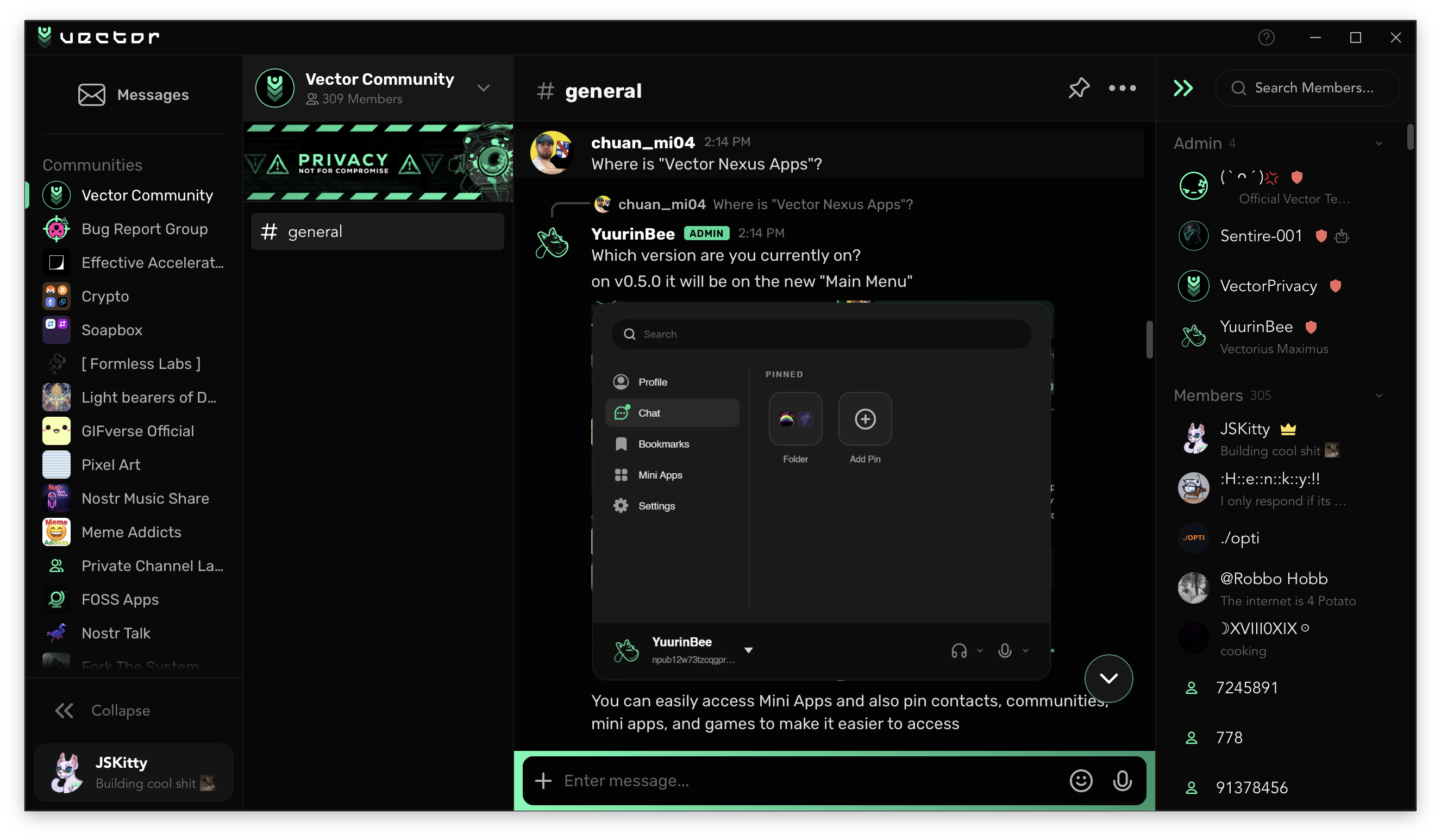
Give Vector a desktop-sized window and it finally spreads out. Your Communities sit on a rail, a Discord-style channel list or your DMs sit beside it, the conversation takes the middle, and the member list docks on the right. Drag Communities into any order, drop one onto another to make a folder, then name it and colour it. Your arrangement syncs to every device you own.
Click your account at the foot of the rail and the Main Menu grows out of it: every place in the app down one side, your accounts at the top, and a grid of pins you build yourself from Mini Apps, chats, Communities, channels and even Settings pages, grouped into folders however you like. One search covers all of it, and pasting an npub finds that person straight away.
Slim Layout
Phones and narrow windows got a redesign of their own rather than a squeezed desktop. A header with your account switcher, search and scanner, a Community rail that slides out from the edge, and filter tabs for Messages, Communities and Requests. Communities open with their channel list beside you, a swipe pulls it back over, and chats slide in and out the way a phone app should.
Rebuilt on Svelte
Underneath both layouts, the entire frontend was rebuilt on Svelte. A change now repaints the one row it touches and leaves your hover, scroll and selection alone. Login, Settings (now searchable, and an accordion on phones) and the chat list all got new designs along the way, and New Chat became one panel for everything: one person for a DM, two or more for a Community, or paste an invite to preview it right there.
Voice & Video Calls
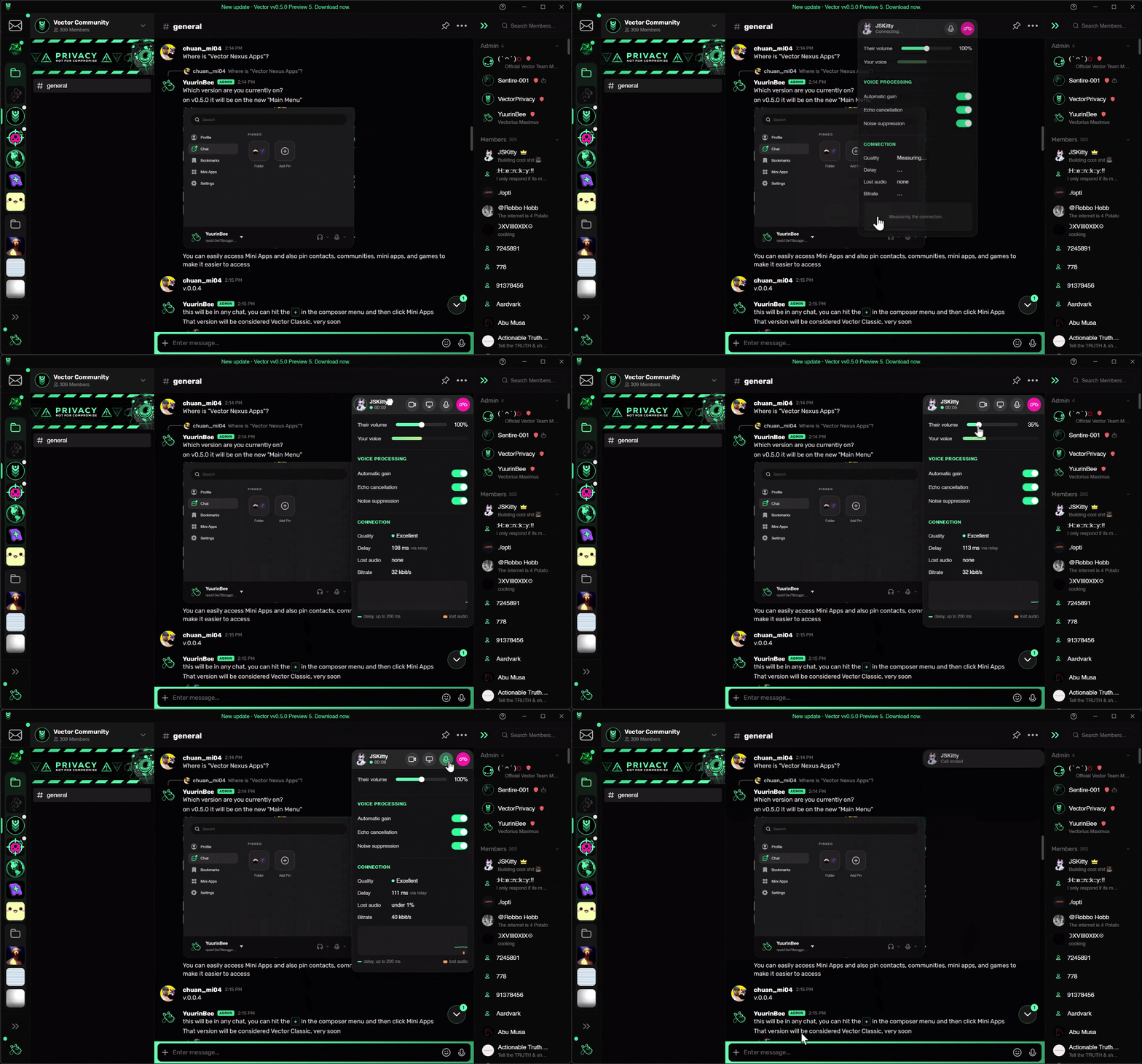
Call anyone straight from their DM. Calls carry full-band audio with echo cancellation, noise suppression and automatic gain, your camera, and on desktop your screen with its sound, at up to 60 fps for games.
Prefer a direct connection? It's one toggle under Settings. Phones ring even while Vector is closed, and on Android a call behaves like a phone call: earpiece, speaker or Bluetooth, and the screen goes dark at your ear.
Voice Channels
Communities can now hold voice channels. Join from the sidebar, see who's in and who's talking, share your screen or camera with whoever wants to watch, and set each person's volume anywhere up to 200%. Moderators can mute, deafen, move and disconnect, Priority Speaker cuts through a busy room, and a Community can bring its own voice relays.
Vector Web
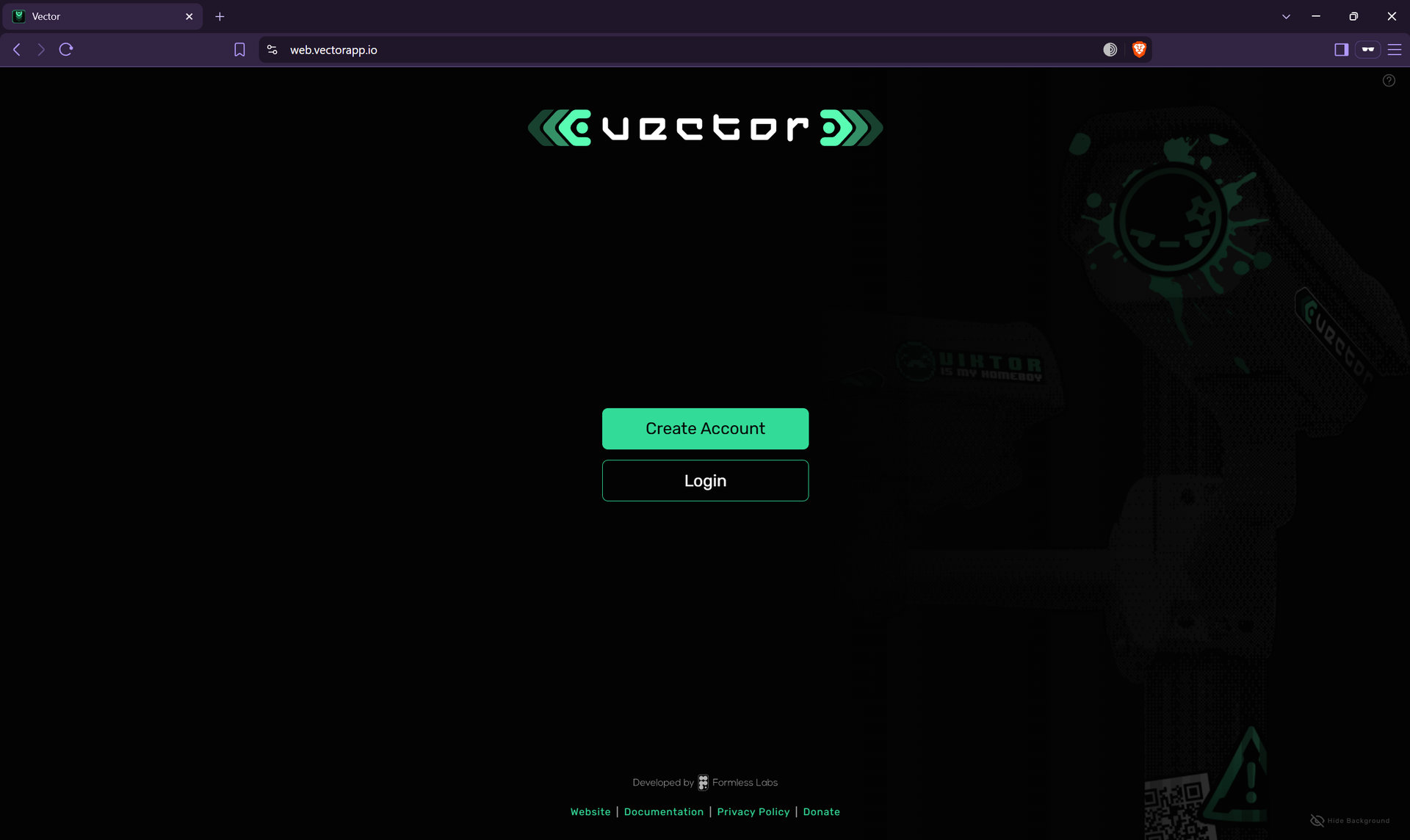
Vector now runs in your browser at web.vectorapp.io. It isn't a thin client talking to our servers: it's the same app with the same encryption, compiled to run on your own device. DMs, Communities, calls, voice channels and Mini Apps all work, and voice messages are even transcribed on your own GPU. Add it to your iPhone's Home Screen for notifications and an unread badge.
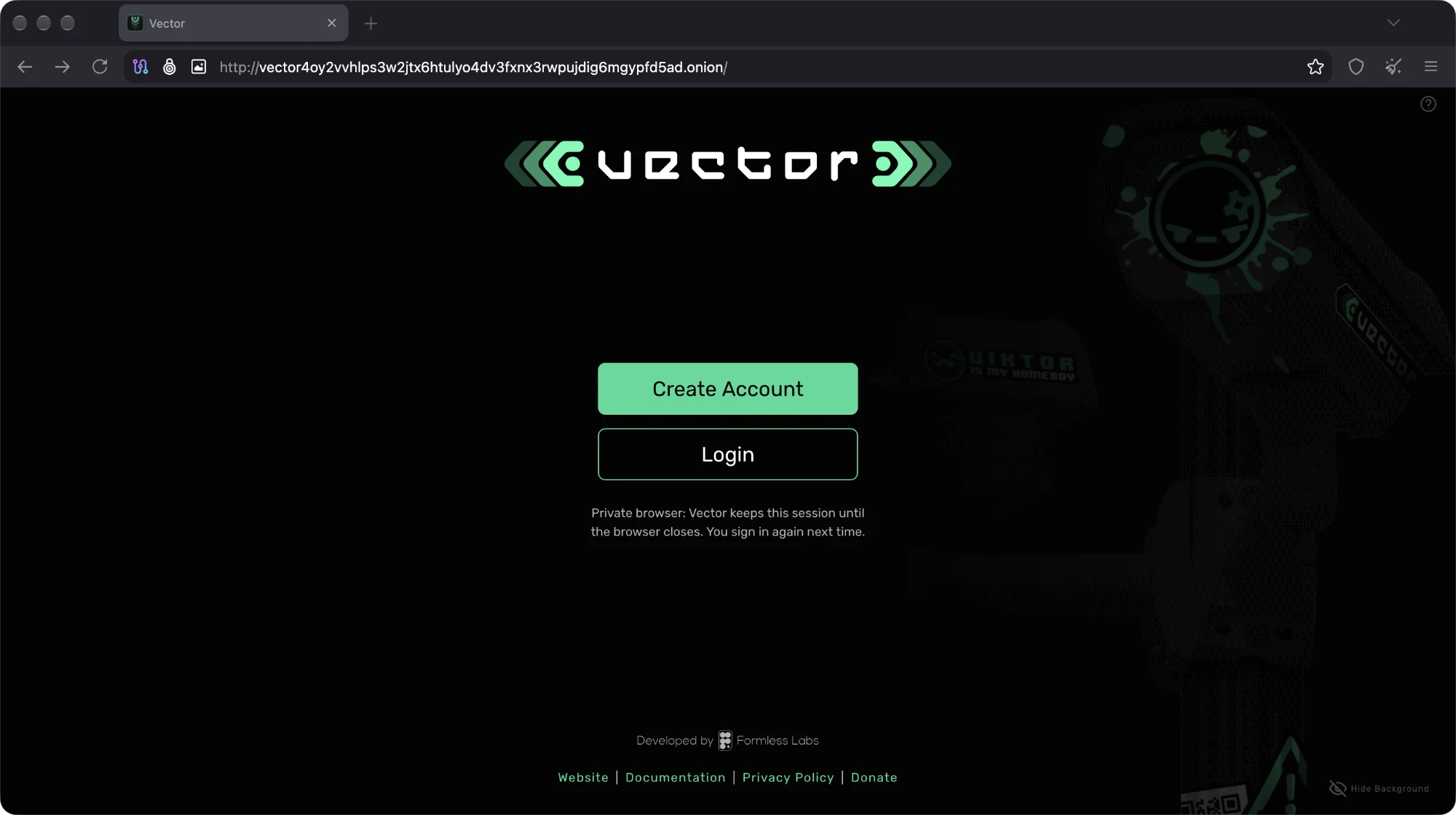
It also lives on Tor as an onion service, and it runs happily in Tor Browser, Mullvad Browser and private windows. In a private window Vector keeps your session only until the browser closes, then forgets it.
Communities, Grown Up
v0.4.0 introduced Communities. v0.5.0 gives them everything a real server needs to run itself.
Channels & Categories
A Community can hold as many text and voice channels as it needs, grouped into Categories you drag around. Channels get topics, private channels open only to the roles and members you pick (even their names stay sealed from everyone else), a public channel can go private, and # mentions a channel with suggestions as you type.
Roles & Permissions
Create, colour, reorder and assign roles, decide what @everyone can do, and override any of it per channel or per Category: who can see it, post, attach files, react, read old history, join calls or share video. Members wear their highest coloured role's colour, mentionable roles ping their holders, and Timeouts quiet someone for up to 28 days. New Communities start on the new roles, and existing ones switch over with one button.
Running the Place
- Community Settings: icon, name, banner and description, hosting and voice relays (including moving a whole Community onto new relays, each one checked before anybody is told to go), roles and bans, all in one place.
- Audit Log: every change, who made it and when, written as plain sentences.
- Moderation Console: built for raids. Every member weighed against what the Community saw, an alert when a wave lands, and one press to remove or ban the whole wave and rotate the keys behind them.
- Nicknames & Banners: go by a different name in each Community, and give your Community a banner under its header.
Tor & I2P
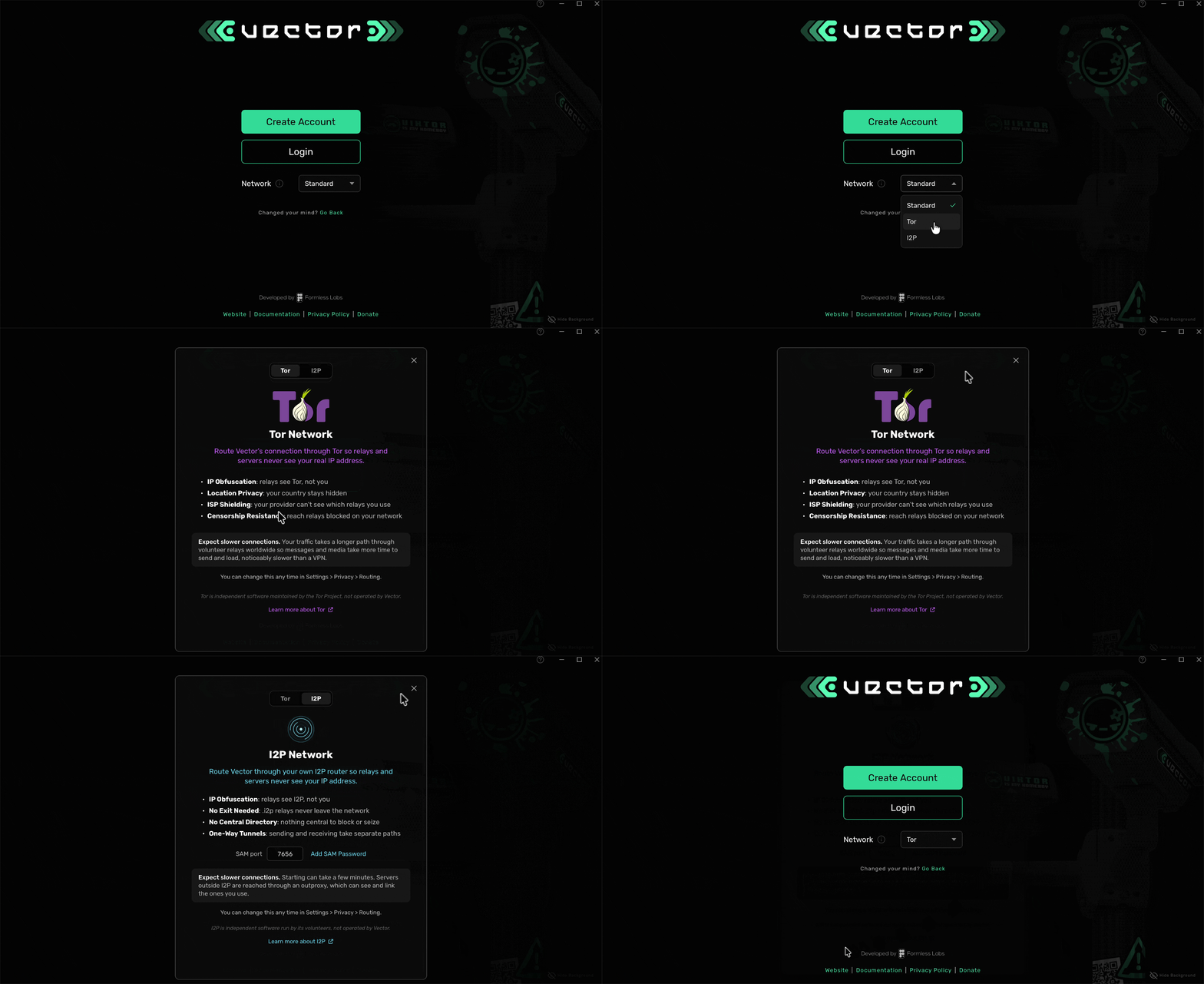
Vector shipped embedded Tor back in v0.4.0. Vigil turns that into a choice of three routes for every single connection: Standard (the open internet), Tor or I2P. Pick one under Settings, even before you sign in, and everything Vector does goes that way.
Tor builds a circuit per server (or one shared, your call), reaches .onion relays, and can ride a Tor you already run, like Tor Browser or Orbot. I2P runs through your own router. Vector's own relays and media servers have onion and I2P addresses built in, and no route ever carries another's traffic.
Privacy Where It Counts
- Requests: a DM from someone you've never replied to waits in Requests, and nothing of theirs loads until you answer or accept it. No pictures, files, link previews or custom emoji, and no typing indicator goes back to them.
- Private Media Storage: pictures, videos and voice notes you only look at live in memory and never touch the disk. Files you keep stay encrypted, and Vector's own caches are sealed too.
- Notify When Closed: Android and Vector Web can be woken by a notification while Vector is closed. Your contact's Vector encrypts it for your device alone, and the service that delivers it can't read it, or tell who it's from or who it's for. F-Droid builds carry nothing of Google's.
- Sign in on Another Device: bring your account to a phone, computer or browser by scanning a code. Both devices check a number together, and your keys travel sealed both classically and post-quantum.
- Streamer Mode: hides the names, pictures and keys of everyone who hasn't agreed to be on stream, in the app and in your notifications.
- Proxy Previews & Media: link previews and downloads go through your media server instead of straight from your device, so the sites behind them see the server, not you.
The Fun Stuff
- Music & the Floating Player: one player on every screen, album cards from cover art, synced lyrics straight from the file, and whole albums with a queue and shuffle. Leave the chat and it carries on.
- YouTube & SoundCloud: links play right in the chat, and nothing loads from them until you press play.
- Nostr Embeds: posts, articles and videos you reference show up as cards, each checked against its signature.
- 3D Models: glb, gltf, stl, obj and fbx files show in chat as a model you can spin.
- Coloured Text & Commands: rainbows, gradients and colours, plus /shrug, /flip and /coinflip.
- Times for Everyone: type @time and "friday 8pm" becomes a time every reader sees in their own zone.
- Kaomoji: a third tab in the picker with 335 faces. ʕ•ᴥ•ʔ
- The App Store: the Nexus, renamed and rebuilt around Discover, Library and Updates, with Play with Friends to send a game to any chat.
Under the Hood
Lighter on memory. Messages take far less room, chats you aren't looking at keep only a short tail in memory, photos bigger than their bubble show a display-sized copy, and animated pictures only move while you can see them.
Quieter in the background. No more once-a-second timers, the audio output sleeps when nothing is playing, and hidden spinners stop spinning. Android's background service waits for a relay to drop instead of checking every 10 seconds.
Faster everywhere. Transcription is about 4x faster on Android and uses 90MB less memory. Local encryption and JPEG work were rewritten on SIMD across every core, and boot hands the interface half the data it used to.
A decentralised clock. Vector now keeps time by your relays. Everything you send is stamped with the time at least three of them agree on, so a phone with a wrong clock can no longer send messages from the past or the future.
DMs that catch up. Missed messages now arrive reliably on weak networks, each fetched once and saved as it lands, and deleting a DM now removes your copies from the relays too.
Fixed
- Big Files on Slow Connections: uploads no longer hit a hard five-minute limit. Any steady progress keeps a transfer alive.
- Phantom Red Messages: Community messages that really sent no longer turn red on weak networks, and Retry never posts twice.
- "Sent" That Never Arrived: when a contact's inbox relays can't be reached, a DM now fails and tells you why instead of claiming it was sent.
- Deletes & Leaves Stick: a deleted Community message stays deleted, and a Community you left can't sneak back.
- Tor, All the Way: the GIF picker and the updater now go through Tor when Tor is on.
- File Sends: cancel really cancels, failed files can be retried, and replies keep their files.
- Unread Counts: chats no longer come back unread after a restart, and opening one is enough to clear it.
- Desktop & Linux: long macOS sessions no longer run out of open files, Windows windows stop growing taller every launch, and Linux renders on the newest WebKitGTK.
Contributors
Vigil carries code from outside the core team, and we couldn't be happier about it. Thank you to th2tran for fixing the keyboard language switcher on the newest Android WebView, and to TheSeydiCharyyev for making Communities refuse expired messages on arrival.
Join the Vector Community
Get connected with the Vector Community, where you can meet other like-minded privacy advocates and make friends from around the world. Get the latest updates in development, insights, and some teasers only dropped in the Vector Community!
Join Community